
Designing artwork for custom rubber stamps can be frustrating when a crisp digital logo turns into a blurry, ink-smudged mess on paper. To ensure your custom rubber stamp prints with sharp, professional clarity, you must prepare your digital artwork as a high-resolution, pure black-and-white file with optimized line weights and adequate negative space. By understanding how digital designs translate to physical rubber engraving, you can avoid common production errors and create a stamp that delivers clean impressions every time.
What file formats and resolution do you need for custom rubber stamps?
To get the cleanest possible engraving on a custom rubber stamp, you should ideally submit your artwork as a vector file, or as a high-resolution raster file set to at least 300 to 600 dots per inch (DPI). These formats ensure that the laser engraver or molding equipment can trace the exact boundaries of your design without creating jagged, pixelated edges on the physical rubber die.
Vector files, such as those saved in PDF, EPS, SVG, or native Adobe Illustrator (.AI) formats, are highly recommended because they rely on mathematical paths rather than pixels. This means you can scale the design to any size without losing sharpness, allowing the manufacturer’s engraving software to read the precise lines of your artwork. If you must use a raster file—such as a PNG, TIFF, or JPEG—you need to ensure the resolution is sufficiently high. A low-resolution image from an online marketplace or a standard web page (typically 72 DPI) will look blurry or pixelated when scaled up, resulting in a rough, uneven stamp surface that traps ink incorrectly.
Products mentioned in this guide
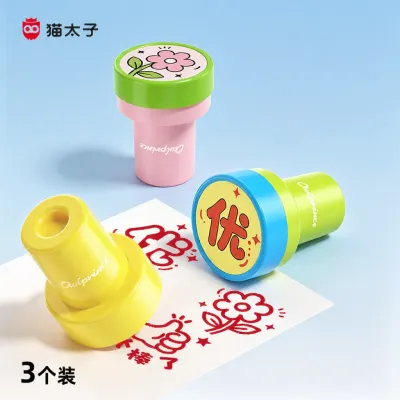
7 Lazada user ratings
These encouragement stamps are super practical and the patterns are so cute that my child loves them. The stamping is clear and even, with s…Read full reviewShow less
These encouragement stamps are super practical and the patterns are so cute that my child loves them. The stamping is clear and even, with smooth ink flow that doesn't smudge. They are perfect for teachers grading homework or for daily praise at home. They're easy to press, durable, and simple to store. They work great for motivating kids and offer excellent value.
I got this little stamp set for checking my kid's homework, and the designs are just so cute and uplifting. The messages like 'Reading,' 'Ke…Read full reviewShow less
I got this little stamp set for checking my kid's homework, and the designs are just so cute and uplifting. The messages like 'Reading,' 'Keep it up,' and 'Progress' are perfect, and the imprints are very clear. It even comes with extra ink. Every time I use them to encourage my child, their enthusiasm for studying really goes up.
These reward stamps are perfect for helping kids with their homework! The designs are cute and varied, featuring little red flowers, thumbs …Read full reviewShow less
These reward stamps are perfect for helping kids with their homework! The designs are cute and varied, featuring little red flowers, thumbs up, and 'Excellent' marks. They press down clearly without smudging, and the built-in ink lasts a long time. Stamping their work makes the kids much more motivated to learn.
These kids' reward stamps are really practical. The patterns are cute and clear, and they come in three styles. They are perfect for grading…Read full reviewShow less
These kids' reward stamps are really practical. The patterns are cute and clear, and they come in three styles. They are perfect for grading homework, and the kids love them. Definitely worth getting.
These are perfect for rewarding kids daily and really help motivate them to get things done. The eco-friendly ink is very practical since it…Read full reviewShow less
These are perfect for rewarding kids daily and really help motivate them to get things done. The eco-friendly ink is very practical since it wipes right off if it gets on their skin.
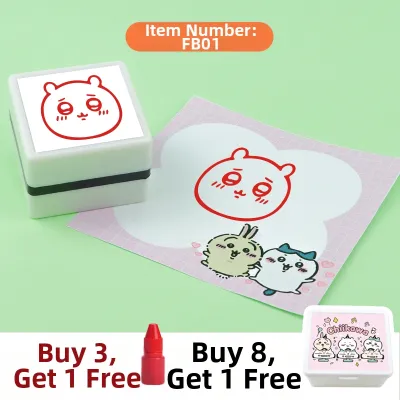
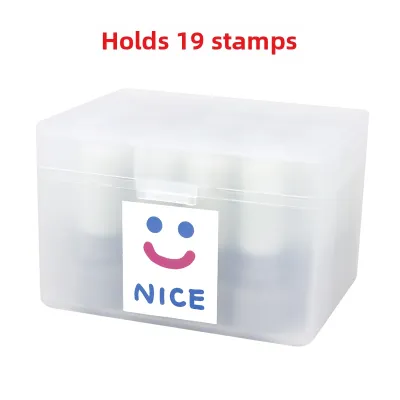
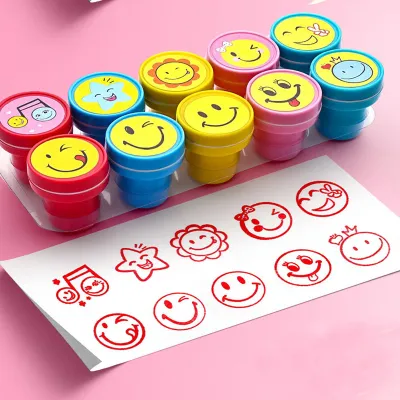
191 Lazada user ratings
Item was delivered in great condition by courier company and was delivered on time. thank you seller. i hope that this brand of stamps are g…Read full reviewShow less
Item was delivered in great condition by courier company and was delivered on time. thank you seller. i hope that this brand of stamps are good and hope my kids like to use it when they have done a good job or have done a good job try. i will recommend other people to buy this brand of assorted stamps if it is of good quality and has long expiry date.
Easy to use and clean, ideal for classroom activities, self-inking stamp, fun and colorful stamps, fun and colorful stamps.
Suitable for classroom activities, self-inking stamp, available in a variety of colors, fun and colorful stamps.
High-quality material, fun and colorful stamps, a variety of colors to choose from, a great gift for parties.
Includes heart and star shapes, Easy to peel and stick, recommended. Received in a gd condition
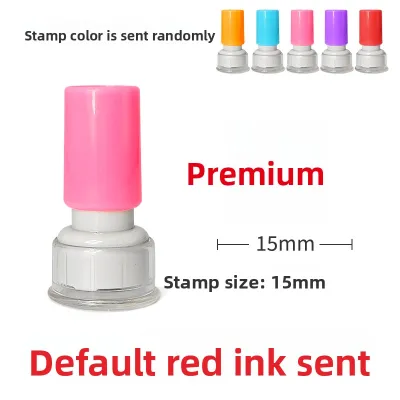
6 Lazada user ratings
I last got chops was a decade ago. These chops exceed my expectations - followed instructions let ink "seep" in, in fact I dripped a few tim…Read full reviewShow less
I last got chops was a decade ago. These chops exceed my expectations - followed instructions let ink "seep" in, in fact I dripped a few times, and after minutes, I turned around each time, the ink was thoroughly absorbed. Notice cannot pressed too hard..After 3 tries, got my perfect chop. The feel is gently balanced pressed and slightly jiggle left and right, and most of the time perfect. The kids love having the chops. Well package, well protected. Such thoughtfulbess - included the "round" paper with margin for us to chop in position, then use to put on the chop, and even came with the transparent "cover" - NOTE: The transparent cover for each chop is transparent, so do pour out items, perhaps onto clear table or into a container as I almost missed seeing one of them still in the bag 😅 Very satisfied with purchase. Will like to get more designs
I ordered English version,received chinese
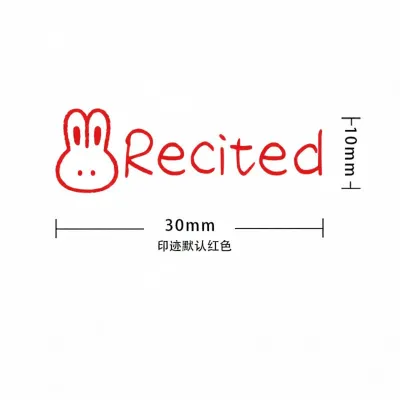
15 Lazada user ratings
The stamps are working fine. Pictures are cute but a bit small. Would be better if have other colours
Stamps are working fine. Pictures are cute but a bit small. Would be better if have other colours
very good perfect

10 Lazada user ratings
The printing gets clearer with more use, and the build quality is simple and lightweight.
The stamp produces a very neat result with clear lettering. I am quite satisfied with it.
The stamp is great; the kids really love it and enjoy using it every day for rewards.
The pictures are displayed uniquely, which is an interesting touch.
Prices are valid at publication and may change. Please refer to the product page for the latest price.
To verify your raster file’s resolution, open the image properties in your design software and check the DPI settings. If the design is already pixelated at your target physical size, simply increasing the DPI number in your software will not fix the issue; you will need to recreate the artwork at a larger scale or trace it into a vector format.
Additionally, your file must be set to a pure black-and-white color mode, often referred to as a 1-bit bitmap, rather than grayscale or color. Laser engraving machines operate on a binary system: they either engrave a specific area or they leave it raised to carry the ink. Grayscale gradients, shadows, or colored elements confuse the engraving equipment, leading to unpredictable textures or missing details. You can convert your design by adjusting the threshold settings in your image editor until every pixel is either solid black (representing the raised, inked parts of the stamp) or solid white (representing the recessed, non-inking background). Be sure to disable anti-aliasing, which is the software feature that adds gray pixels to smooth out edges on screens, as these gray pixels will translate into jagged, stepped edges on the physical rubber.
How thick should lines and text be to print clearly on a rubber stamp?
Your design’s lines should generally be at least 0.5 to 1 point thick, and text should be kept at a minimum of 6 to 8 points, depending on the specific manufacturer’s engraving limits. Maintaining these minimum physical dimensions prevents fine rubber ridges from collapsing under stamping pressure and stops ink from filling in the gaps between design elements.

The physical size of your stamp directly dictates how well fine details will transfer to paper. When you press a rubber stamp onto an ink pad and then onto a page, the rubber slightly compresses, and the liquid ink spreads outward. If your lines are too thin, the physical rubber ridge on the stamp will be fragile and may bend, tear, or fail to pick up enough ink. Conversely, if your design elements are packed too closely together, the negative space—the white areas of your design—will be too shallow, causing ink to pool in the gaps and create messy blobs instead of clean lines.
Because different manufacturing methods (such as laser engraving, photopolymer casting, or pre-inked flash technology) have varying tolerances, you must check your chosen manufacturer’s specific design guidelines before finalizing your artwork. Some high-precision laser engravers can handle finer lines than traditional molded rubber, but relying on the manufacturer’s stated minimums is the safest way to ensure durability.
When choosing typography, select clean, legible fonts and adjust their weights to suit the stamp’s physical scale. Intricate serif fonts, script typefaces with delicate flourishes, and highly condensed styles are prone to filling in or losing their thin strokes entirely. If you are designing a small-scale stamp, consider using sans-serif fonts like Arial or Helvetica, increasing the tracking (letter-spacing) to keep characters from merging, and avoiding bold styles that reduce the necessary negative space inside letters like “e”, “a”, and “o”. Furthermore, the type of ink you plan to use can affect readability; water-based inks tend to absorb into paper fibers and bleed slightly, which requires you to design with even more generous spacing than you would for quick-drying solvent inks.
Do you need to mirror or reverse your artwork before submitting it?
In most cases, you should submit your artwork in its normal, readable orientation rather than mirroring it, as modern stamp manufacturers use automated software to reverse the design for engraving. However, because submission requirements vary, you must verify your specific manufacturer’s instructions to prevent your final stamp from printing backward.
To understand why orientation matters, consider the physical mechanics of stamping. The rubber die itself must be a mirrored, reversed image of your design so that when it is pressed face-down onto paper, the resulting ink impression reads correctly from left to right. If you manually mirror your artwork before uploading it, and the manufacturer’s automated pre-press system also applies a reversal, the physical stamp you receive will produce a backward impression. This rule applies equally to traditional wood-handle stamps and modern self-inking stamps, which use an internal mechanism to flip the rubber die before making contact with the paper.
Always review the file upload instructions on the manufacturer’s website or ordering portal. If the system specifies “submit files exactly as they should read on paper,” leave your artwork in its standard orientation. If the guidelines explicitly request a “mirrored” or “reversed” file, apply a horizontal flip in your design software before exporting.
Paying close attention to orientation is especially critical if your design contains asymmetrical logos, directional graphics (such as arrows or pointing hands), or specific border alignments. For example, a border with a heavy line on the left side must be carefully checked to ensure it does not end up on the right side of your physical print. If you are incorporating a decorative frame, ensure there is a safe margin of at least 1.5mm to 2mm of clearance between the border and your central design to prevent ink from bridging the gap. Double-checking these elements against the manufacturer’s upload requirements is a simple step that prevents costly reordering mistakes.
How can you check your design for common stamping errors before ordering?
You can catch potential stamping errors before placing your order by performing a digital zoom check on a pure black-and-white canvas and printing a 1:1 scale paper mockup of your design. These simple proofing steps allow you to evaluate physical readability and line thickness under real-world conditions rather than relying on a backlit computer screen.
To begin your digital proofing process, convert your design canvas to high-contrast black and white, disable any anti-aliasing or smoothing filters, and zoom in closely on the edges of your artwork. Look for jagged pixels, stray dots, or tiny gaps where lines meet, as these imperfections will be faithfully reproduced by the engraving laser and can cause ink to collect where it should not. Any gray pixels along the edges should be eliminated, ensuring a sharp, clean boundary between the black design elements and the white background. You can also simulate physical ink spread digitally by applying a very slight 1-pixel Gaussian blur to your design and then increasing the contrast; this quick check will show you which negative spaces are most likely to fill in with ink.
Next, print your design on a standard home or office printer at exactly 100% scale (1:1 ratio) on plain paper. Holding the physical printout in your hand provides an immediate, accurate sense of the stamp’s actual size, which is often difficult to judge on a large monitor. Place the paper on a flat surface and view it from a normal reading distance; if the text is difficult to read or if the spaces between letters look congested on paper, they will almost certainly blur together when stamped with wet ink.
If your paper mockup reveals areas where the lines look dangerously thin or where the negative space seems too tight, stop and consult the manufacturer’s design guide or contact their customer support team. Many custom stamp makers offer a pre-press file review or can flag potential issues before production begins. Taking the time to adjust your artwork based on these physical and digital checks ensures your custom rubber stamp performs beautifully from the very first press.

Community discussion
Share your experience or ask a question. Comments are reviewed before publication.